> ## Documentation Index
> Fetch the complete documentation index at: https://docs.vaultcord.com/llms.txt
> Use this file to discover all available pages before exploring further.
# Setup Channel Permissions
> Step-by-step guide for hiding channels from unverified members
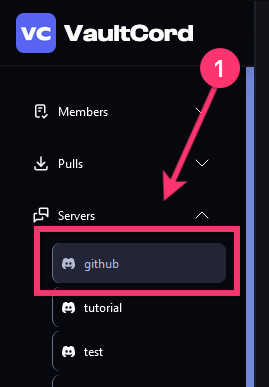
> On the main dashboard page, click **Servers** and then click again on your server.
 > **Lock Channels** button
 >
> Choose the Discord channels (or category) to make visible to ONLY verified role, not `@everyone`
>
> Choose the Discord channels (or category) to make visible to ONLY verified role, not `@everyone`
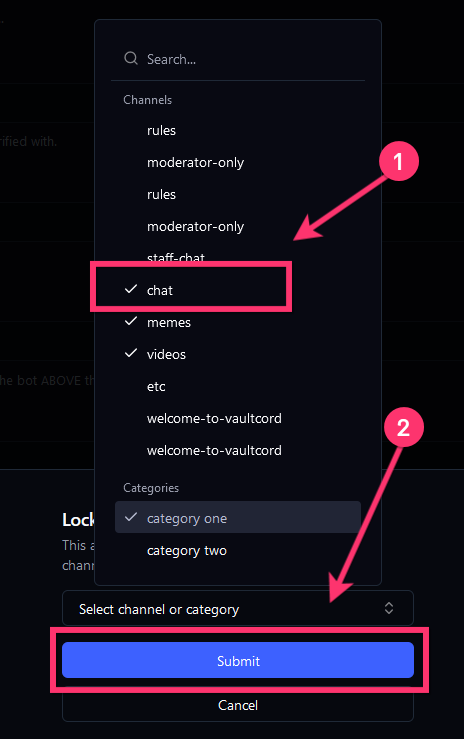 >
Do NOT select staff channels, you don't want verified members seeing those.
Success! Now your channels are hidden from unverified members.
If you have any questions, join our [Discord Server](https://vaultcord.com/discord) and ask us anything!
>
Do NOT select staff channels, you don't want verified members seeing those.
Success! Now your channels are hidden from unverified members.
If you have any questions, join our [Discord Server](https://vaultcord.com/discord) and ask us anything!